MobiHack
Repurposing a Mobi MobiCam HDX (model 70196) baby-monitor camera as a machine-vision camera for a ComMarker B4 MOPA fiber laser running LightBurn. Live log, kept as we go.
This is a working log from Hank Elsner's personal lab/platform — part of the same shop that runs LaserView (live laser-cam + job control for the B4) and the LaserAI project. If you landed here searching for MobiCam HDX internals, default credentials, or whether this camera can be repurposed as a UVC/RTSP source — this is everything we've found, including the dead ends.
Why
LightBurn's camera-alignment feature wants a UVC (USB) or virtual webcam source. A MobiCam HDX was sitting unused, so the question was: can its Wi-Fi video feed be pulled onto the laser-control laptop as a virtual camera, instead of buying a dedicated board camera? The honest answer only comes from testing the device directly — vendor marketing never says.
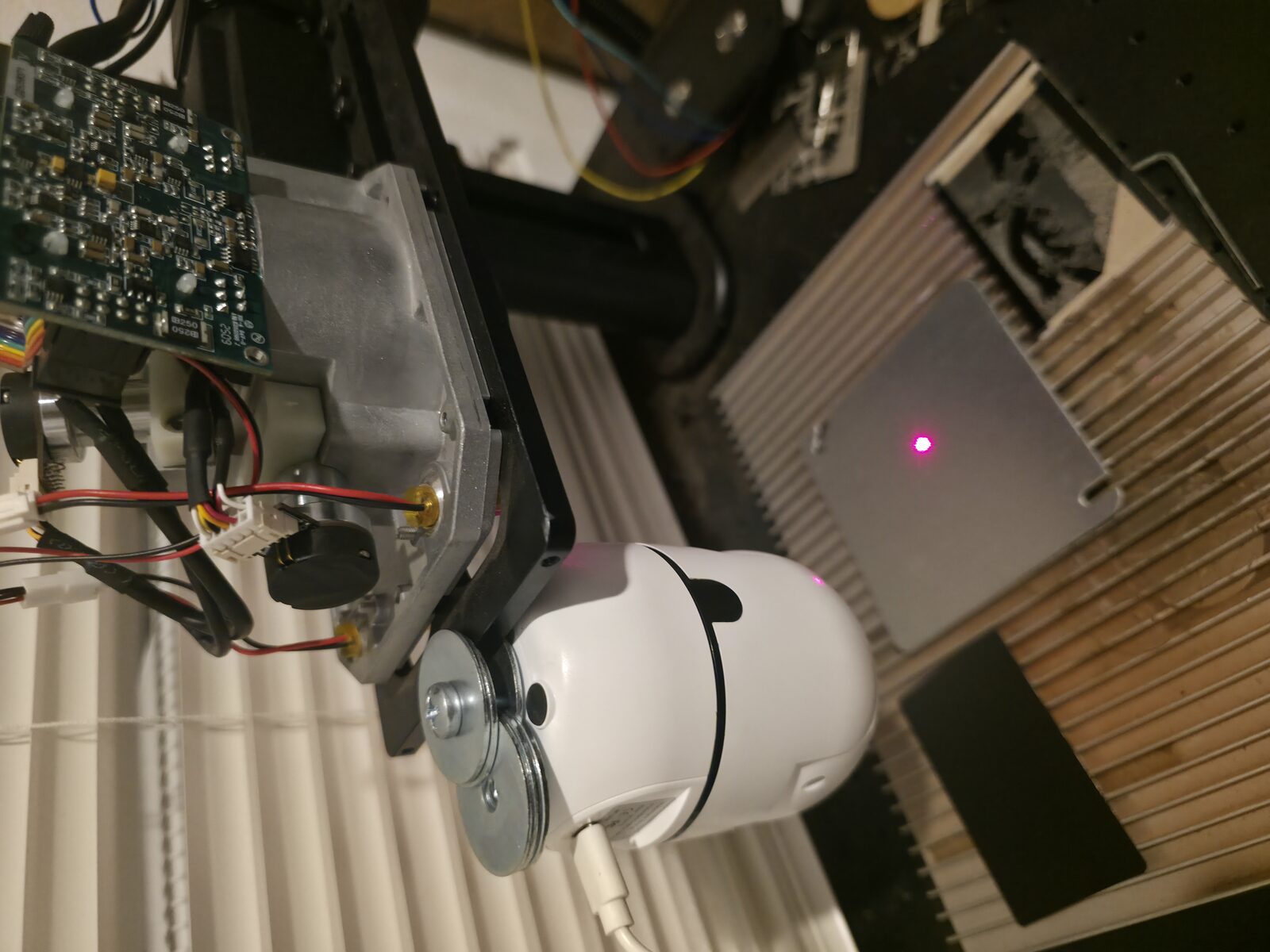
The device
| Model | MobiCam HDX, SKU 70196 |
|---|
| Manufacturer | Mobi Technologies, Inc. — Culver City, CA (FCC grantee code Y4N) |
|---|
| App | "MobiCam" — iOS App Store id 1308840295; Android via Play Store |
|---|
| Type | 2.4GHz Wi-Fi pan/tilt camera, cloud-relay (P2P) architecture — not a plain RTSP IP camera out of the box |
|---|
| Claimed specs | 355° pan, 120° tilt, 8x digital zoom, night vision ~40ft, 2-way audio, motion detection |
|---|
Findings so far
Step 1 — network discovery
Found the camera on the LAN at an internal address with an nmap -sn sweep after confirming the laptop and camera were on the same subnet (earlier attempts failed because the laptop was on a different network with client isolation — common on guest/shared Wi-Fi, and it hides every device from every other device).
Step 2 — full port scan
A full TCP scan (
nmap -p- --min-rate 2000) against the camera's IP turned up a cluster of open ports that look like a Chinese ODM "cloud cam" P2P stack rather than a standard ONVIF/RTSP IP camera:
4000/tcp  open  (HTTP, embedded web server, 400 on malformed request)
7000/tcp  open  (no banner on connect)
7678/tcp  open  (no banner on connect)
8001/tcp  open  (no banner on connect)
8002/tcp  open  (no banner on connect)
8080/tcp  open  (HTTP — "Server: WebServer", CORS * — 403 on /, 404 on every
                 known camera CGI path we tried: hi3510, ISAPI, CGIProxy,
                 onvif/device_service, snapshot.cgi, videostream.cgi, etc.)
8187/tcp  open  (no banner on connect)
9110/tcp  open  (no banner on connect)
15500/tcp open  (no banner on connect)
35597/tcp open  (no banner on connect)
No RTSP (554/8554), no ONVIF, no Telnet (23 — connection refused), no plain HTTP admin page. The ports that answer HTTP return generic embedded-webserver errors with no identifying paths we've found yet. The silent, binary-only ports (8001/8002/15500/etc.) are consistent with a proprietary P2P/"Kalay"-style SDK that only responds to its own handshake, not plain HTTP or a line-based protocol — which is most likely why plain
curl/
nc probes get nothing back.
Step 3 — manufacturer / FCC research
Mobi Technologies, Inc.'s FCC grantee code (
Y4N) is confirmed via
fccid.io, but every filing under it we could find so far (70294R, 70290T, 70236, 70209T, DW700TX/RX) is for Mobi's
older analog/900MHz wireless monitor line, not the Wi-Fi HDX. The HDX's Wi-Fi radio module is very likely a separate, pre-certified module from a different OEM/grantee — commonly how budget Wi-Fi cameras get built — whose FCC ID is printed on a label on the camera itself (on the bottom or inside the battery/stand compartment). We don't have a confirmed FCC ID for the HDX yet.
Step 4 — clones / chipset family
No confirmed chipset ID yet. The open-port signature doesn't match the most commonly-cloned budget IP-camera families we checked against:
- Xiongmai (XM) / Hi3518-family — usually exposes TCP 34567 (NetSDK) and often Telnet 23 with known default creds (
admin/12345, xmhdipc/666666, etc. — well documented from the 2017 Mirai-adjacent disclosures). Not present here — 34567 and 23 are both closed.
- Hi3510-family CGI cams — expose
/cgi-bin/hi3510/*.cgi. Not present — all 404.
- ONVIF-compliant cams — expose
/onvif/device_service. Not present.
The port cluster (8001/8002/7678/15500/9110/35597 all open with no banners) looks more like a ThroughTek Kalay-adjacent or a smaller Shenzhen ODM's proprietary P2P/cloud stack, which several baby-monitor brands license rather than build themselves. We have not yet matched it to a specific published SDK name — this section will be updated as soon as we do.
Step 5 — default passwords / root technique
no result yet — no Telnet, no SSH, no discovered admin HTTP path to even try default credentials against. The embedded web server on 8080 answers requests but 403/404s everything we've thrown at it. The practical paths left, in order of how destructive/irreversible they are:
- Packet-capture the official MobiCam app talking to the camera on the LAN (no cloud round-trip needed for local discovery/handshake on some of these SDKs) to learn the real wire protocol on 8001/8002/etc., rather than guessing CGI paths blind.
- Pull the firmware via the app's own OTA/update flow (if it checks a plain HTTP(S) URL for updates, the binary can be grabbed and inspected without touching the device) — far safer than flashing anything.
- UART/SPI-flash dump by opening the case — last resort, and the one irreversible step if done wrong, so it won't happen without sign-off first.
Where this is going
If the camera turns out to be cloud-only with no usable local video endpoint (a real possibility with P2P-style baby monitors — the whole point of the architecture is that the stream only flows through the vendor's relay, not the LAN), the fallback for the B4 project is a $15–25 generic UVC board camera, covered over on LaserAI and LaserView. This page will be updated either way — a documented dead end on a specific consumer device is useful too.